
Your AI operating system.
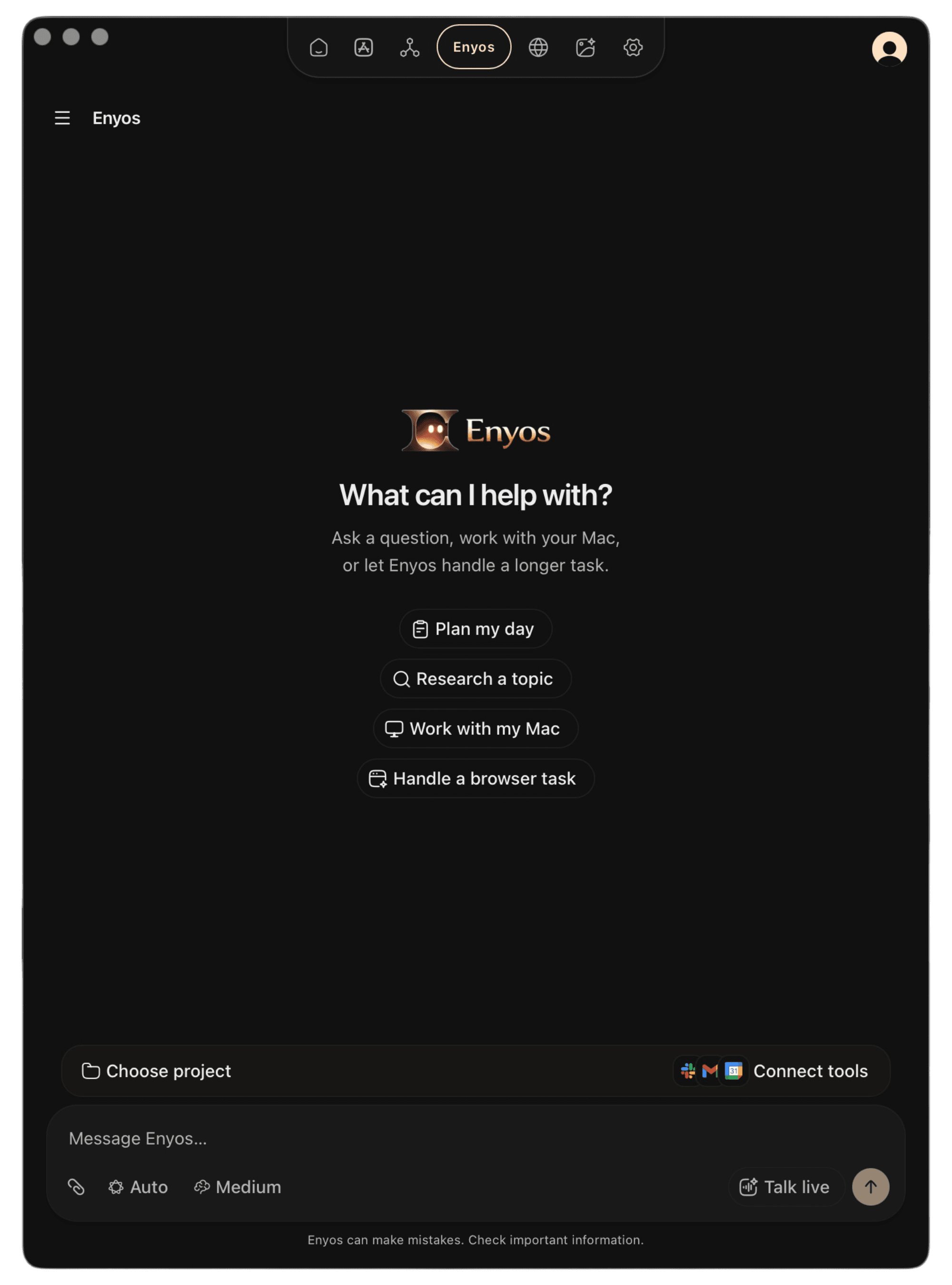
Speak naturally or type a request. Enyos can see your screen, operate your apps, navigate the web, work across more than a thousand connected services, and carry the result all the way to done.
Your desktop, supercharged.
Just talk. Enyos does the rest.

Technology partnership


Enyos partners with Alibaba Cloud.
Together, we are building the dependable, high-performance cloud foundation behind Enyos' next generation of AI experiences.
One assistant across the tools you already use
How it works
One request. A clear plan.
Describe the result you need. Enyos gathers the context, works through the steps, and asks before anything consequential.
Context first
Relevant mail, files, memory, and services.
Visible execution
Every step stays understandable as it runs.
You approve
Submission and other sensitive actions wait for you.

New vendor onboarding
Enyos plan
2 of 4
Request
Prepare the new vendor onboarding, complete the procurement portal, and send the finished packet for approval.
Plan
4 connected tools
Collect the vendor details
Find the latest company data across Gmail and Drive.
Complete
Complete the procurement form
Open the portal and fill all 18 fields with verified information.
Filling form
Create the onboarding packet
Generate a PDF summary and save it to the vendor folder.
Queued
Request final approval
Send the completed packet to the operations channel in Slack.
Needs you
42%
Capabilities
An assistant with hands, context, and memory.
Every request is routed through the right combination of capabilities—one coordinated system instead of a collection of disconnected AI tools.
Real-time voice
Natural, interruptible conversation
Computer use
Apps, windows, files, and URLs
Browser use
Navigation, forms, and web actions
1,000+ services
Work across your existing stack
Personal memory
Preferences, people, and projects
Image studio
Generate, edit, and iterate
Research workspace
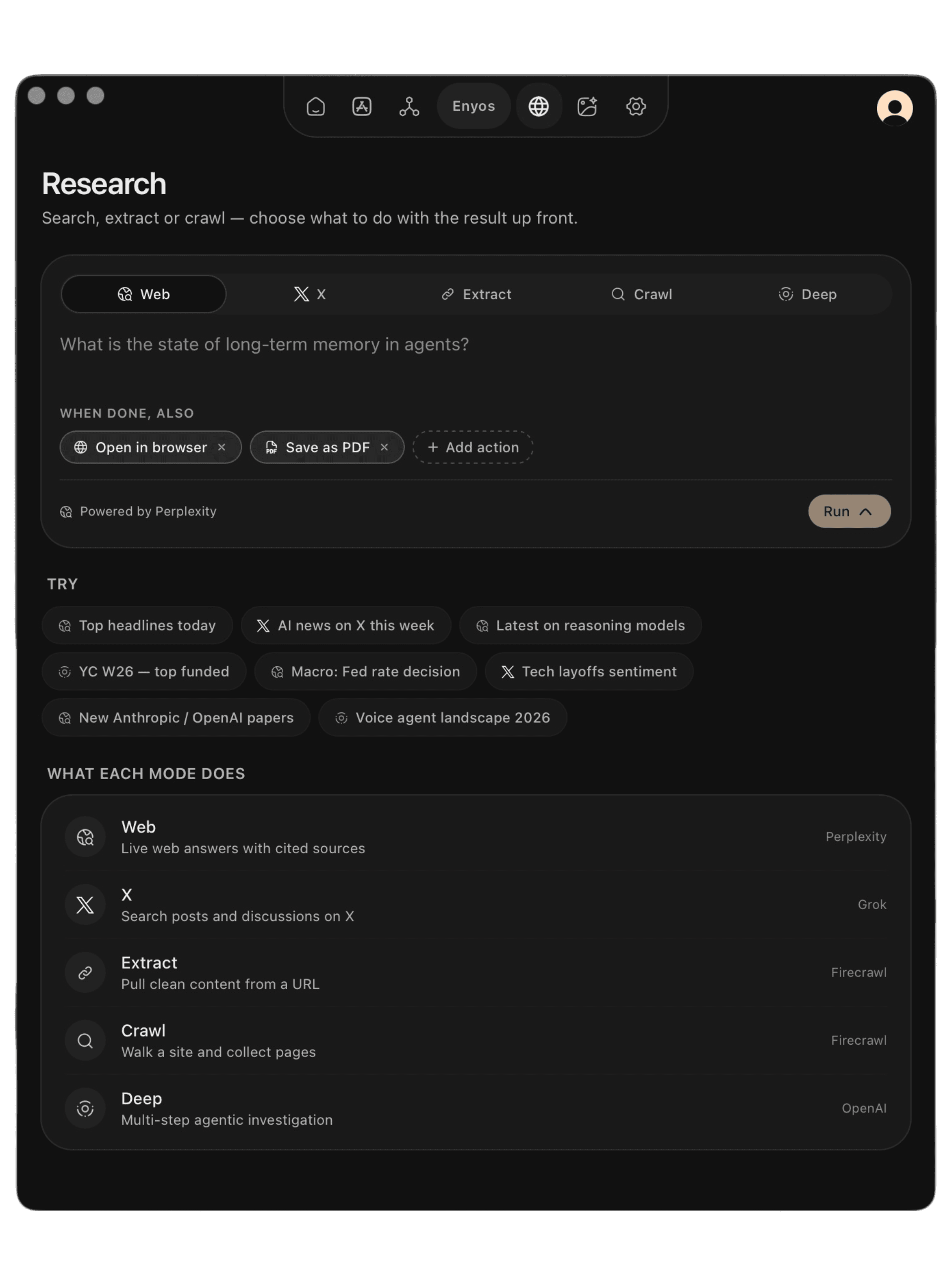
Search, extract, crawl, and deep research
Documents and code
Create PDFs, documents, and code
Browser and web actions
The web, without the busywork.
From search to finished action.
Enyos can open a real browser, find the right page, navigate complex flows, and fill even long, complex forms with information from your documents and connected services. It can then continue the workflow in another app—turning repetitive office work into one request.
- Real DOM. Real cookies. Real logins.
- Search, extract, crawl, and deep-research modes.
- Multi-step plans with visible progress.
- Pauses before sensitive confirmation steps.
Integrations
More than 1,000 services.
Connect Enyos to the services you already depend on—from Gmail, Slack, Notion, Calendar, Drive, and Todoist to messaging, CRM, developer, and business tools. One request can move across several services without you carrying context between them.

Voice
Conversation is the interface.
Real-time voice is the fastest way into Enyos. Speak naturally, interrupt, clarify, or switch to chat whenever you want. Enyos can use what is on your screen and coordinate the tools needed to complete the request.
“Move the Tuesday standup to 2pm, message the team on Slack, and remind me to prep slides at 1:30.”
Recognized — 3 tools — Calendar, Slack, Reminders
Inside Enyos
One calm place for every kind of work.
Move between your home, conversational assistant, research, and built-in modules without losing context.
Your home base
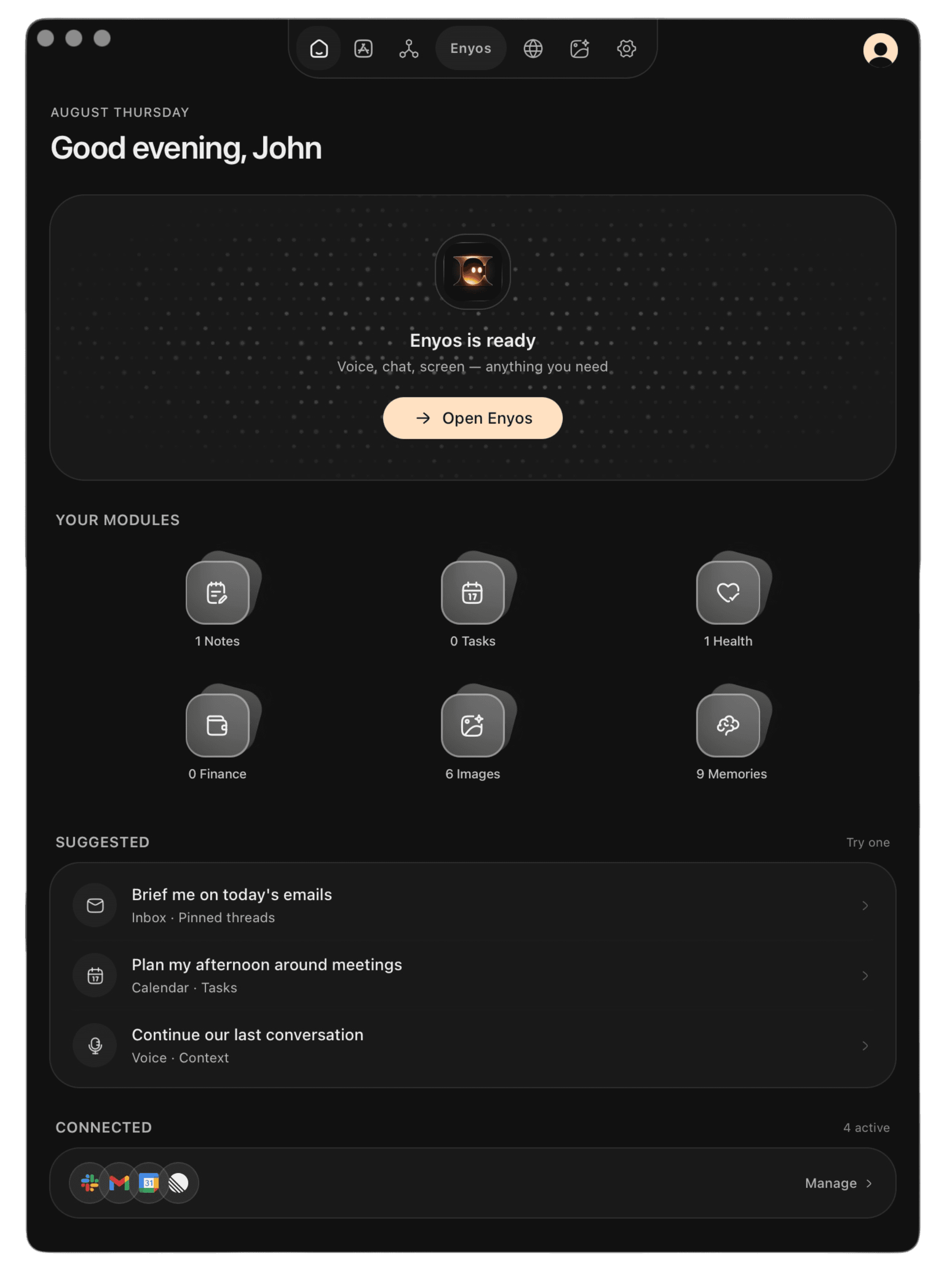
Start a conversation, continue recent work, open a module, or manage connected services.
Voice and chat
Talk live, type, attach context, choose a project, and let Enyos handle longer tasks.
Research that continues
Search, extract, crawl, or investigate deeply—then open the result or save it as a PDF.
Built in
Your everyday life, organized.
Dedicated modules give Enyos structured context instead of leaving everything buried in chat history.
Notes
Capture and organize ideas.
Tasks
Plan and finish what matters.
Health
Keep personal context together.
Finance
Work with financial information.
Images
Create and refine visuals.
Memory
Review what Enyos remembers.
1,000+
Services Enyos can connect to.
4
Ways to add context: voice, chat, screen, and files.
6
Built-in modules for everyday life and work.
1
Continuous assistant across your Mac.
FAQ
Questions, answered.
Quick answers to the things people ask most.
What is Enyos exactly?
Enyos is an AI operating system that works across macOS. You interact through real-time voice or chat, and Enyos can combine your screen, apps, browser, files, memory, and connected services to complete a task.
What can Enyos actually do on my computer?
It can open and work with applications, navigate URLs, search the web, interact with browser pages, find and open files, create documents and PDFs, help write code, and coordinate actions across connected services.
Do I have to use voice?
No. Real-time voice is the fastest and most natural way to use Enyos, but the full chat workspace is there whenever typing is more convenient. You can also attach files and add project context.
Is my data private?
Yes. Enyos is local-first. Sensitive context stays on your machine. You decide what gets sent to which model.
Which apps does it integrate with?
Enyos can connect to more than 1,000 services, including Gmail, Slack, Notion, Google Calendar, Drive, Todoist, WhatsApp, Messenger, and many more.
What about memory?
Memory helps Enyos retain useful context about your preferences, people, and projects. The dedicated memory module gives you a clear place to review and manage what it knows.
Which platforms are supported?
macOS (Apple Silicon) is supported during beta. Windows and Linux are on the roadmap.
Who builds Enyos?
Enyos is built by Universe Mixed Reality, a Croatian company based in Zagreb, in technology partnership with Alibaba Cloud.
Give your Mac an AI operating system.
Talk, type, share context, and let Enyos carry your next task from request to result.
macOS 13+ · Apple Silicon · Free during beta